Start here
What is computer vision?
You can glance at a photograph and know instantly that it shows a dog on a beach. A computer sees only millions of coloured dots.
Computer vision is the work of turning those dots back into things a person would recognise. A dog, a beach, a number plate, a crack in a wall.
It is good at doing one narrow job, over and over, without getting bored. It is not good at judgement. It will never tell you whether something matters, only what it appears to see. Every job below still needs a person deciding what to do with the answer.
There are eight main things it can do. They get harder as you go down, and each one builds on the last, so reading in order is worth ten minutes of your time.
One of eight
Telling what a picture shows
The software looks at a whole picture and gives it a name.
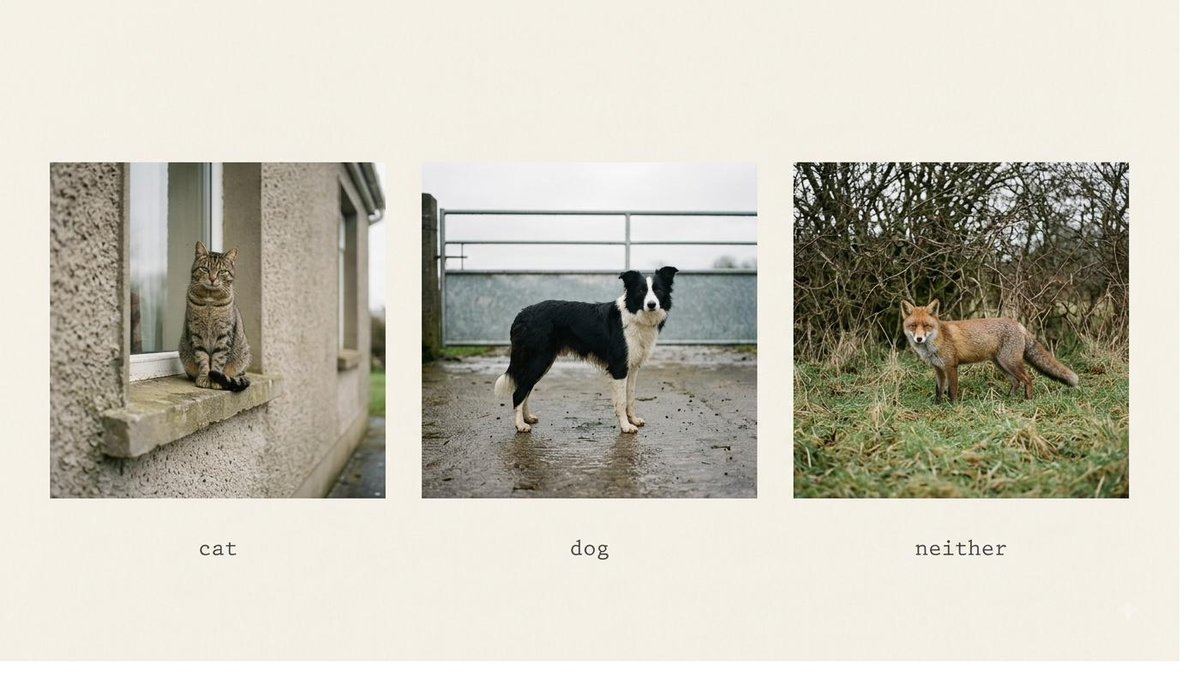
Your phone's photo app can show you all your pictures of dogs, even though nobody ever went through and marked them. Something looked at each picture and decided "this one is a dog."
That is the whole idea. One picture in, one label out. It doesn't say where the dog is, or how many there are. Just what the picture is of.
To make this work, the software is shown thousands of pictures that people have already sorted by hand. It gradually gets better at spotting the patterns that separate one kind of picture from another.
Where it's used
- Sorting photographs into categories automatically.
- Checking whether a product coming off a line is good or faulty.
- Flagging X-rays or scans that a specialist should look at first.
- Telling apart crop types or plant diseases from a photograph of a leaf.
What it gets wrong
- It only knows the categories it was shown. Show it a fox when it only ever learned cats and dogs, and it will confidently say "dog."
- It can be fooled by the background. A system shown only cows in fields may fail on a cow on a beach.
- It gives you a name, not a reason. It cannot tell you why it decided that.
Some people call this: image classification.
Two of eight
Finding things in a picture
The software draws a box around each thing it finds and names it.
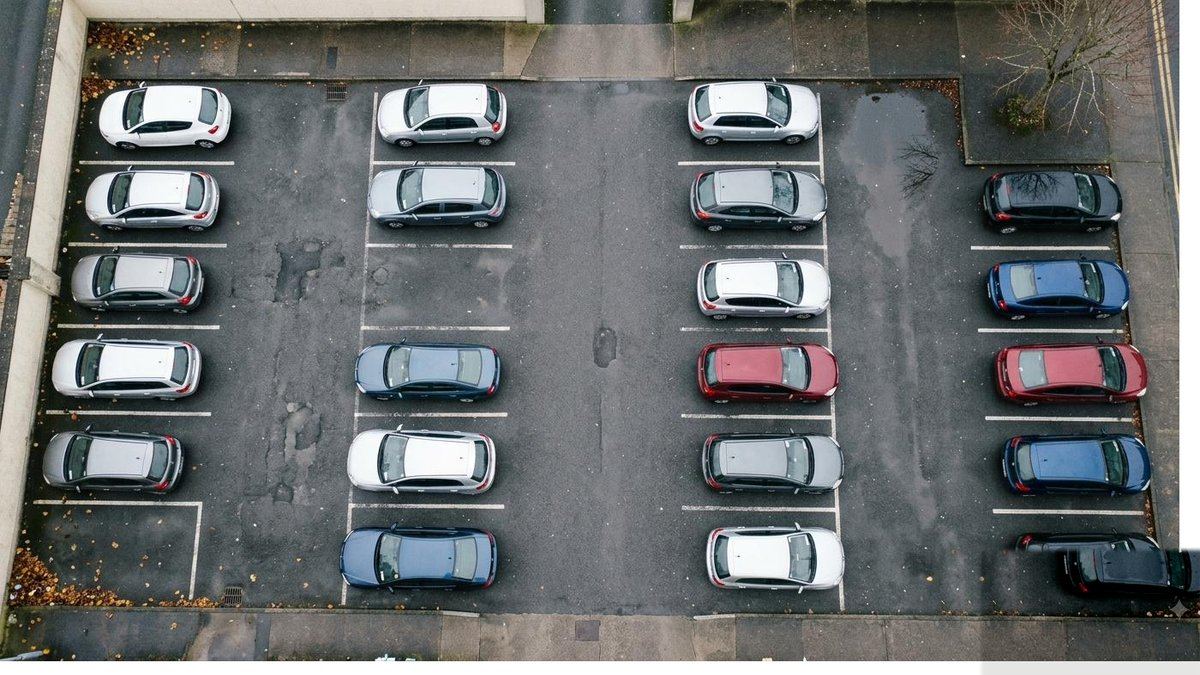
Think of a car park camera that tells you how many spaces are free. It isn't enough to know "this picture contains cars." Something has to find each car separately and count them.
This is the step up from the last one. Instead of one label for the whole picture, you get a box around every thing, plus a name for each box.
Because each thing is separate, you can count them, or watch where they are. That single change is what makes most useful jobs possible.
Where it's used
- Counting people, cars, animals, or stock.
- Spotting whether anyone on a site is missing a hard hat.
- Finding faulty items on a fast-moving conveyor.
- Watching a doorway to see who comes and goes.
What it gets wrong
- Crowded scenes. When things overlap heavily, boxes get merged or missed.
- Small or far-away things. A person at the far end of a field may be only a few dots across.
- Poor light, rain on the lens, and glare all make it worse. Where the camera sits matters more than most people expect.
Some people call this: object detection.
Three of eight
Tracing the exact shape of things
Instead of a rough box, the software marks the exact outline of each thing.
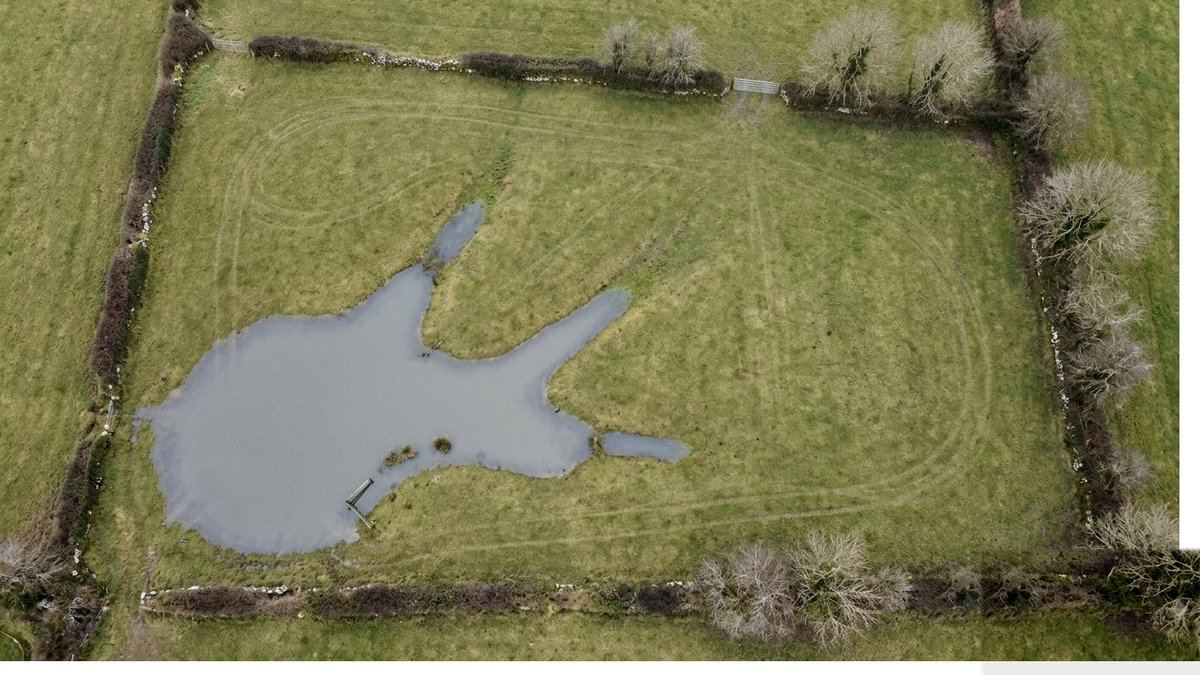
When a video call blurs the room behind you but keeps you sharp, something worked out exactly where you end and the wall begins — down to the edge of your hair.
A box is fine for counting. It is no good for measuring. If you want to know how much of a field is flooded, or how large a scratch on a panel is, you need the actual shape.
The software decides, for every single dot in the picture, what that dot belongs to. That is why it can measure areas.
Where it's used
- Measuring how much of something there is: flooding, crop cover, rust, roof damage.
- Precise medical measurements from scans.
- Cutting a person out of a photograph or video cleanly.
- Guiding machinery that has to grip a specific object.
What it gets wrong
- It is slower and more demanding than drawing boxes, so it costs more to run.
- Edges are hard. Hair, glass, smoke and shadows are genuinely difficult.
- Teaching it is expensive, because the example pictures have to be traced by hand rather than roughly boxed.
Some people call this: image segmentation.
Four of eight
Working out how big something is
The software measures real sizes and distances from pictures, not just what is in them.
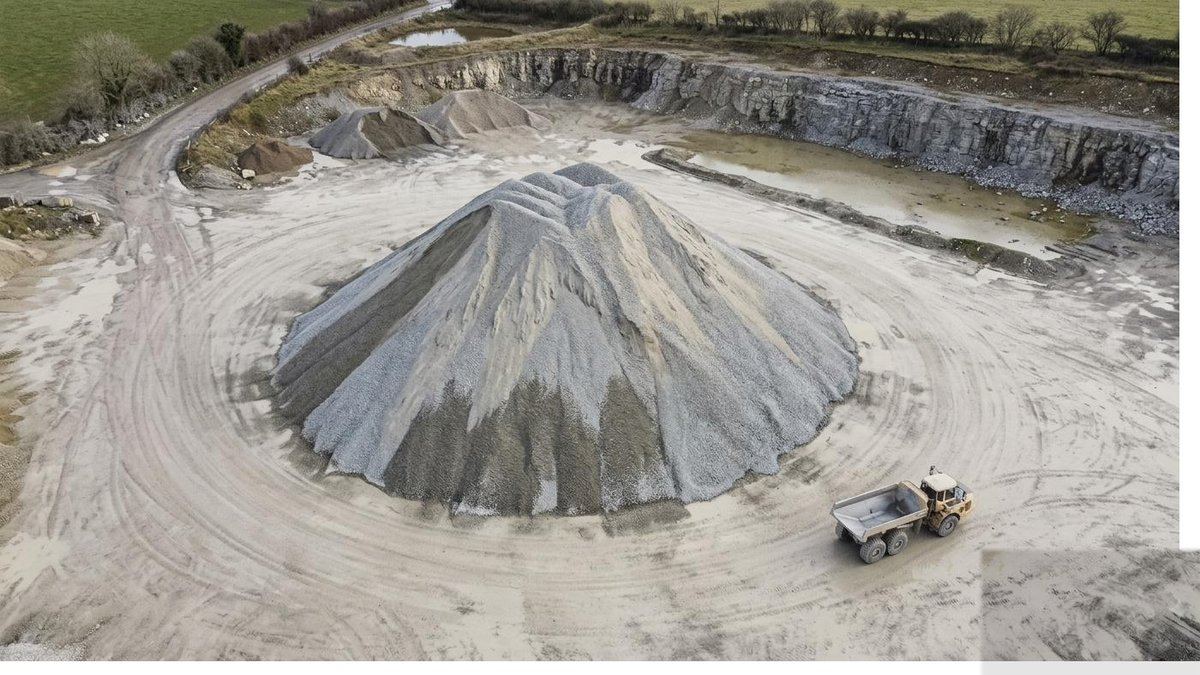
Point your phone at a wall in a newer measuring app and it tells you the wall is 3.4 metres. It worked that out from what the camera saw, plus how the camera moved.
Everything so far tells you what is in a picture and where. None of it tells you how big anything actually is. A shape covering a quarter of the frame could be a lamb up close or a shed far away.
To get real numbers you need a second point of view. Two cameras a known distance apart, or one camera moving between shots, or something in the picture whose size is already known.
From that, the software builds a rough map of how far away every part of the scene is. Once it has distances, it can turn dots in a picture into metres, square metres, and cubic metres.
Where it's used
- Measuring stockpiles: stone, sand, woodchip, silage. Anything sold by volume.
- Working out parcel and pallet sizes for freight pricing.
- Site and room measurements from a walk-through with a phone.
- Crop height, tree height, and clearances under bridges and cables.
- Working out how much of a roof needs replacing, in square metres.
What it gets wrong
- One ordinary photograph is not enough. Any app claiming otherwise is guessing.
- Accuracy drops with distance. Good to a centimetre up close, to tens of centimetres across a field.
- Glass, water, and polished metal defeat it, because it cannot find the same point twice on a surface with no texture.
- It measures what it can see. A stockpile sitting on a slope needs the ground surveyed underneath it, or the volume comes out wrong.
Some people call this: depth estimation, or photogrammetry.
Five of eight
Recognising faces and people
The software compares a face in a picture to faces it already has on file.
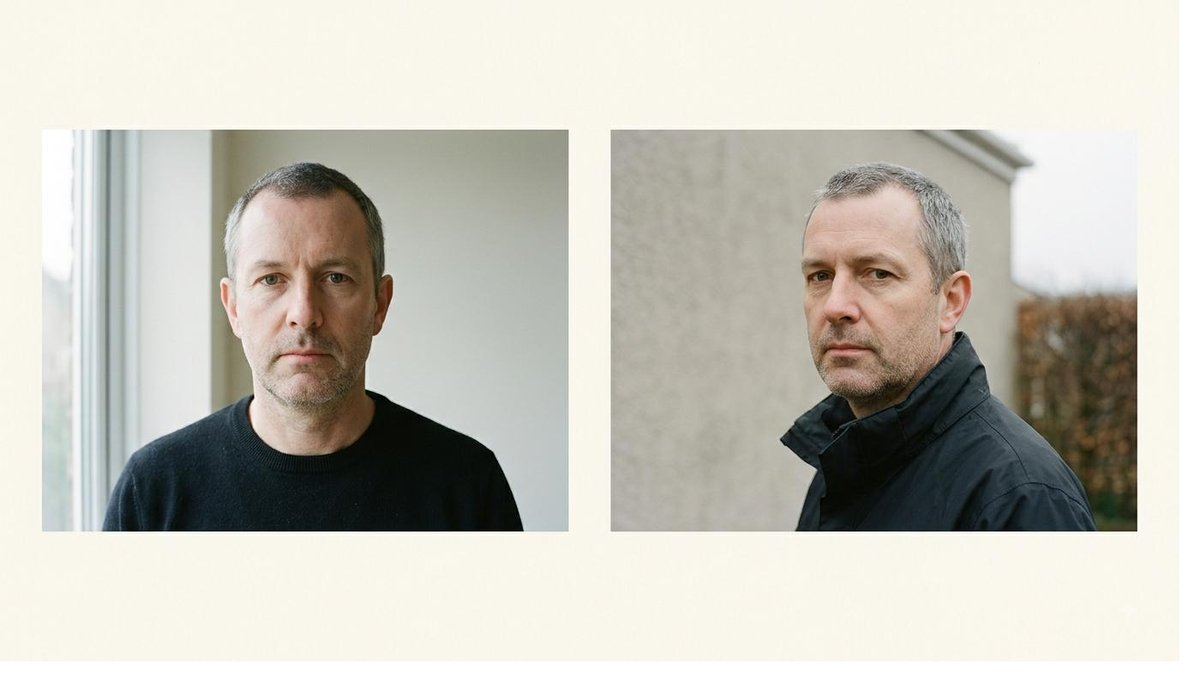
Your phone unlocks when it sees your face. It measured the distances between your features once, and it checks for that same pattern every time.
There are two separate things here, and it matters to keep them apart.
Is this the same person?
The software turns a face into a set of measurements, then compares those measurements to ones it already has. It never really "knows" a face; it checks how closely two sets of numbers match.
What kind of person is this?
Some systems guess age, sex, mood, or whether someone is looking at a screen. These guesses are much less reliable than most people assume, and they are guesses.
Where it's used
- Unlocking phones and buildings.
- Passport and border checks.
- Finding one person across a large collection of photographs.
- Counting how many people passed a shop window — usually without identifying anyone.
What it gets wrong
- Accuracy has been shown to vary by skin tone, age and sex. Systems have historically performed worst on the people they are most likely to be used against.
- A near match is not a match. Used carelessly, this accuses the wrong person.
- It reports a score, and someone still has to choose where to draw the line.
The part you must think about first
A face is personal data, and it is a special category of it under European law. You generally need a clear lawful basis to collect it, you must tell people, and consent has to be real. A camera in a public-facing premises is not automatically permitted.
So ask first whether you need to identify individuals at all. "How many people came in today" needs no identity and carries a fraction of the risk. Very often the version with no faces in it is the one worth building.
If I think this is the wrong tool for your job, I will tell you before quoting, not after.
Some people call this: facial recognition and biometric analysis.
Six of eight
Reading text from pictures
The software finds writing in a picture and turns it into text you can search.
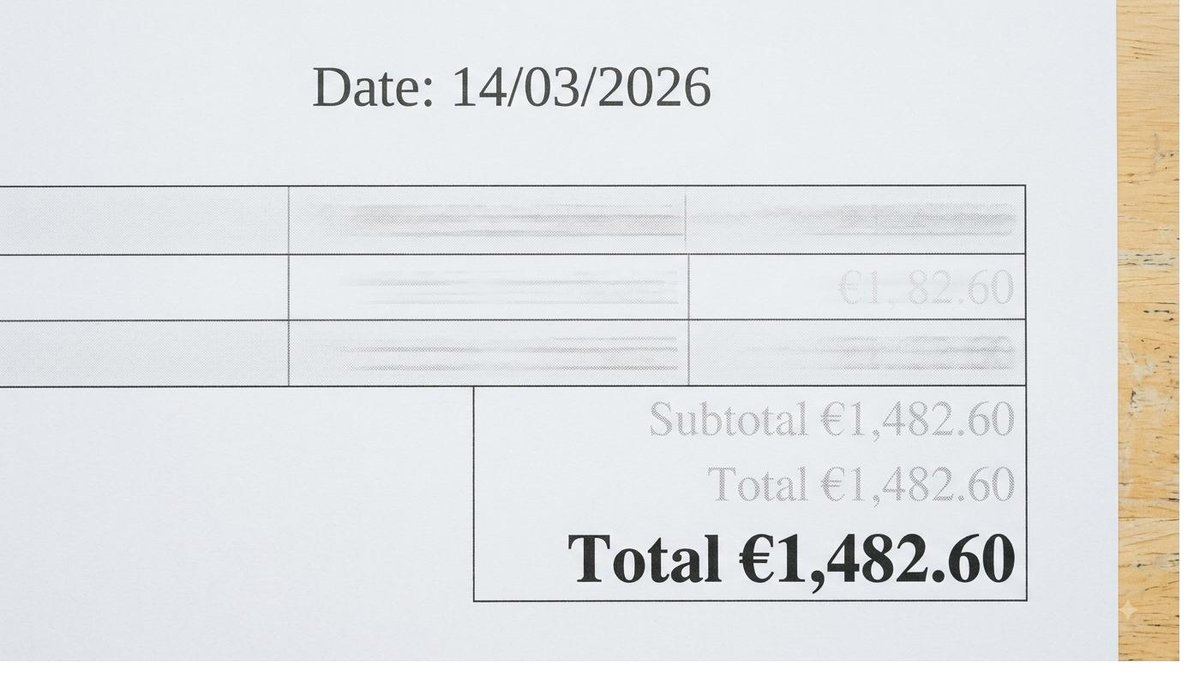
You photograph a receipt and the app fills in the amount and the date on its own. It found the writing, worked out which letters and numbers they were, and picked out the bits that mattered.
This happens in two steps. First, find where the writing is. Then, work out what it says. The second step is the same skill as telling what a picture shows, applied to individual characters and words.
Once text is out of an image, it becomes ordinary text: searchable, sortable, and ready to go into a spreadsheet or a system you already use.
Where it's used
- Getting figures off invoices, delivery notes and forms without typing them.
- Reading number plates at gates, car parks and toll points.
- Making scanned archives and old documents searchable.
- Reading batch codes, serial numbers and expiry dates on a production line.
What it gets wrong
- Handwriting is far harder than print, and doctors' handwriting is not a joke — it is genuinely close to impossible.
- Odd layouts confuse it. Tables, columns and stamps overlapping text cause mistakes.
- It will read a 0 as an O. For anything financial or legal, a person still checks.
- Crumpled, faded, or badly lit pages produce badly wrong text rather than no text, which is worse.
Some people call this: optical character recognition, or OCR.
Seven of eight
Understanding video
The software watches a moving picture and follows what happens over time.
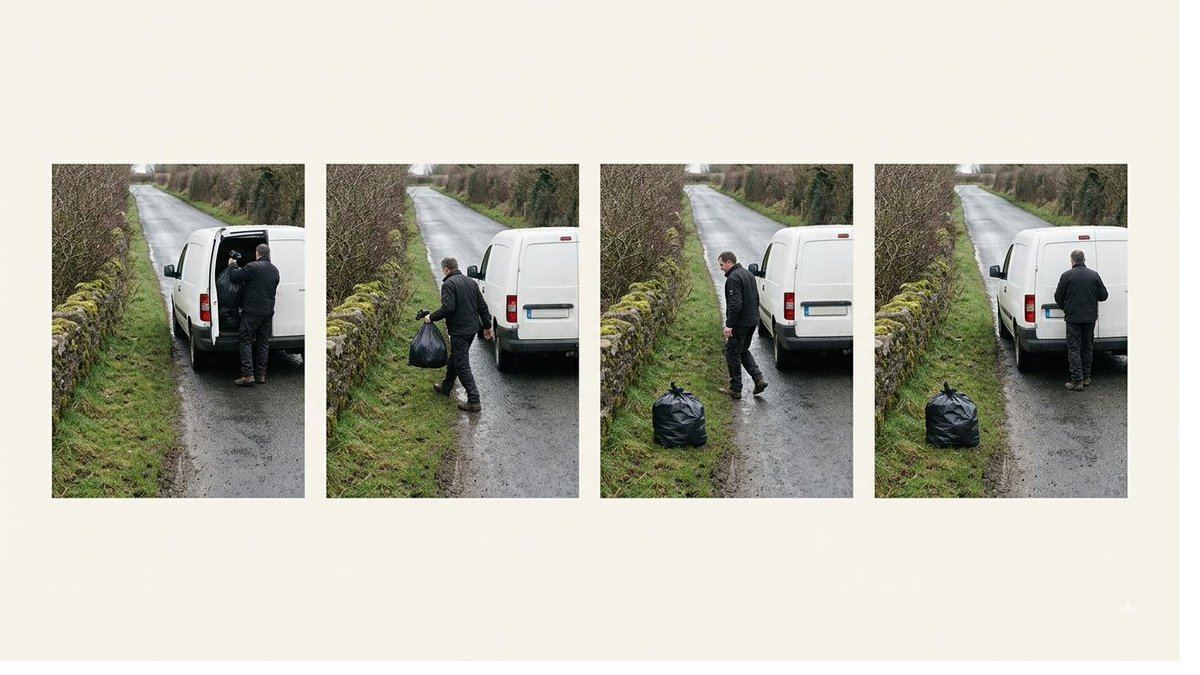
A shop's camera notices someone has been standing at the same shelf for four minutes. No single still picture shows that. It only appears when you look at time passing.
Video is just a lot of pictures, roughly 25 to 30 every second. Everything already described can be applied to each one.
What video adds is time — and that lets the software follow the same thing from frame to frame. That opens up questions a still picture cannot answer. How long did that take? Which direction did they go? Did somebody fall?
Where it's used
- Counting how many people or vehicles pass, and in which direction.
- Measuring queue lengths and waiting times.
- Noticing something unusual: a fall, a spill, a machine stopping.
- Sports and training analysis.
- Timing steps in a manual process to find where it slows down.
What it gets wrong
- Keeping track of the same thing is hard. Two people cross paths and their identities can swap.
- It is a lot of data. Storing, moving and processing it is usually the real cost.
- Long recordings with almost nothing happening are where errors pile up unnoticed.
- Cameras watching people bring the same legal duties described in the faces section, even when nobody is being identified.
Some people call this: video analysis.
Eight of eight
Asking questions about pictures
You ask a question about a picture in ordinary words, and the software answers in ordinary words.
You can point your phone at a menu in another language and ask what a dish is. It reads the picture and answers you in a sentence.
Everything earlier on this page has to be set up in advance for one specific task. A system that counts cars counts cars, and nothing else.
This is different. You describe what you want in plain words, and it responds. You can change the question without changing anything else, which makes it very quick to try an idea out.
Where it's used
- Writing descriptions of large photograph collections so they can be searched.
- Checking a photograph against a written rule: "is everyone wearing a high-vis vest?"
- Trying an idea out in an afternoon, before committing to a purpose-built system.
- Answering questions about documents where the layout matters as much as the words.
What it gets wrong
- It can be confidently wrong, and it answers in fluent, convincing sentences either way. This is the most important thing to understand about it.
- It is poor at counting and at precise measurement. Use the earlier tools for those.
- It is slower and more expensive to run for every picture, so it suits low volumes.
- The same question can get slightly different answers on different days.
Because of that first point, I use this to explore a problem, then usually build something narrower and more reliable for the day-to-day job.
Some people call this: vision and language, or a vision-language model.
Which one do I need?
You don't have to work this out before contacting me. But if you want a rough idea, answer these in your own words.
Start with the question you'd ask a person
- "Is this one good or bad?" — telling what a picture shows.
- "How many are there?" — finding things in a picture.
- "How much of it is there?" — tracing exact shapes.
- "How big is it, in metres or tonnes?" — working out how big something is.
- "Who is this?" — faces, and read that section carefully first.
- "What does that say?" — reading text.
- "How long did it take, or which way did it go?" — video.
- "I'm not sure yet, I just want to try something" — asking questions about pictures.
Two questions that change everything
- Do you need to know how many, or just whether? "Whether" is much cheaper.
- Does a person read the answer, or does a machine act on it? Anything that stops a machine or opens a gate needs to be far more reliable, and costs accordingly.
One more thing, if you're technically minded
The eight headings above map onto image classification, object detection, semantic and instance segmentation, depth estimation and photogrammetry, face recognition and biometrics, OCR and document understanding, video understanding and multi-object tracking, and vision-language models. I've kept the terms off the main page deliberately, not because the detail doesn't matter, but because it's the wrong place to start a conversation with someone who runs a business rather than an engineering team.
Individual project pages go into more depth, including what ran where and what the real failure modes were.
Think one of these might fit your problem?
Describe it in ordinary words and the quote tool will tell you which parts are involved, roughly what it costs, and what I'd need to know next.